Personal finance, no bank login

Capture,
don’t connect.

Spendkin turns the alerts your banks, wallets, and payment apps already send into a clean, categorized record of your money. No credentials, no bank linking — any bank, any currency, any country.

Get the app
Free to startNo bank credentials, everAndroid & iPhone
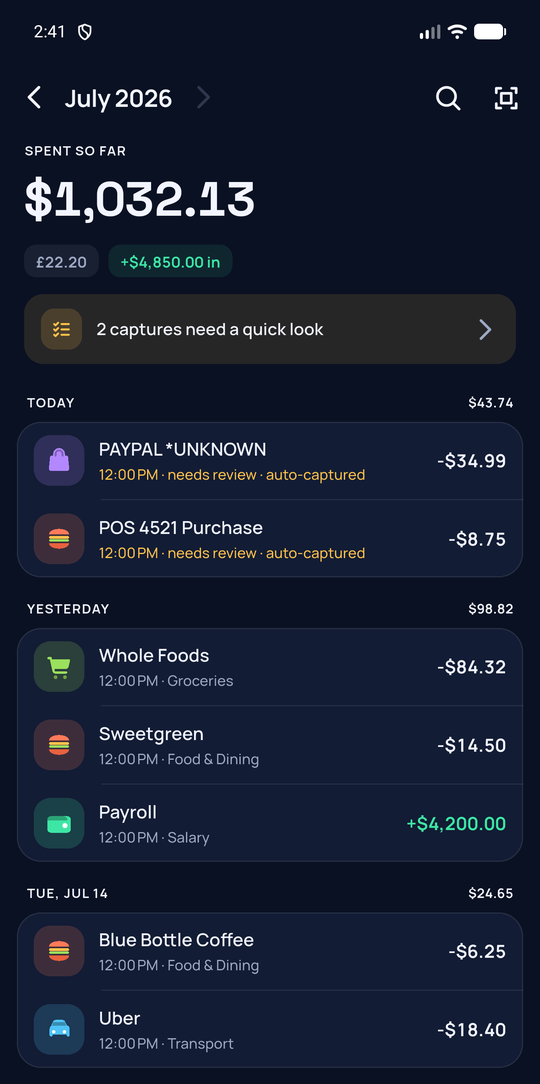
The Spendkin money screen — a month of transactions, auto-categorized
A Spendkin monthly recap card — where the month's money went

Your money,
wherever it tells you

Every time money moves — in New York, London, Lagos, or Accra — something pings your phone. Spendkin listens to the channels you choose and does the bookkeeping.

No bank login Banks & payment apps Any country On-device OCR AI categorized Multi-currency Offline-first Share into the app Import & export End-to-end encrypted

Hands-off capture, on every channel

Bank notifications on Android, a one-time Shortcut for texts on iPhone, and email auto-forwarding from any provider. And not just banks: PayPal, Venmo, Wise, mobile money, delivery apps — if an app you choose announces a payment by notification, text, or email, Spendkin logs it.
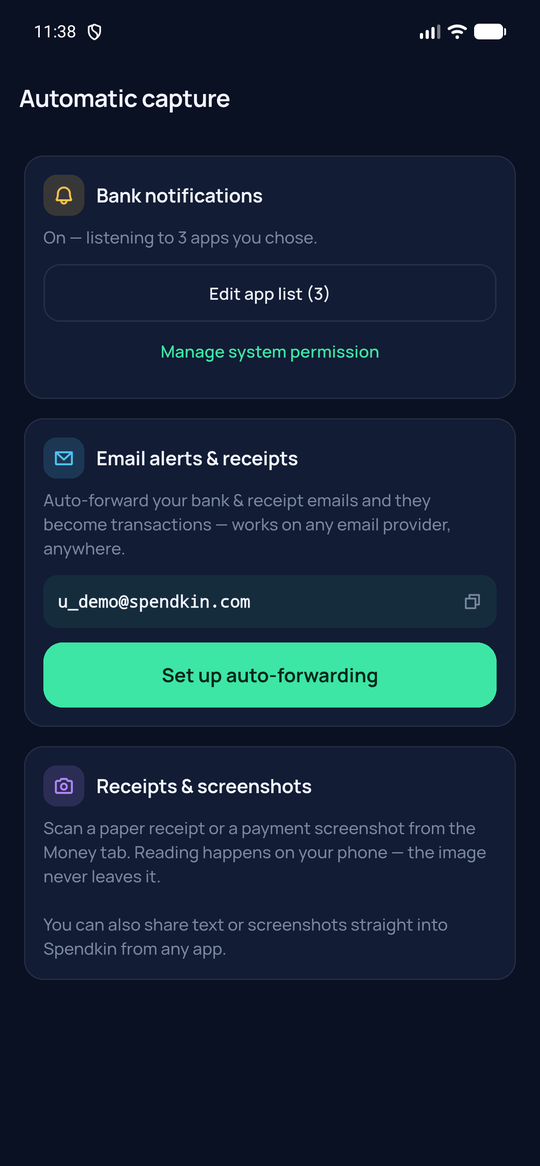
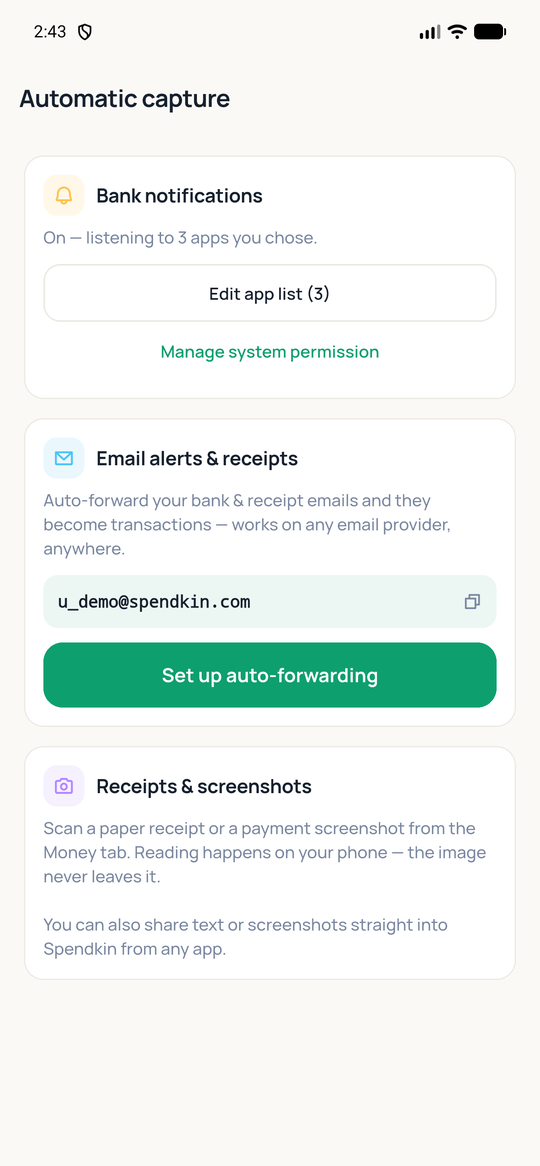
Spendkin automatic-capture setup, dark theme Spendkin automatic-capture setup, light theme

Share anything into Spendkin

A payment screenshot, a confirmation text, a receipt someone forwarded you — share it straight into Spendkin from any app, and if it’s a transaction, it’s logged, categorized, and deduplicated like everything else.

Snap a receipt. It reads itself.

Paper receipt or payment screenshot — the text is read on your phone with on-device OCR. The image never leaves your device; only the transaction does.
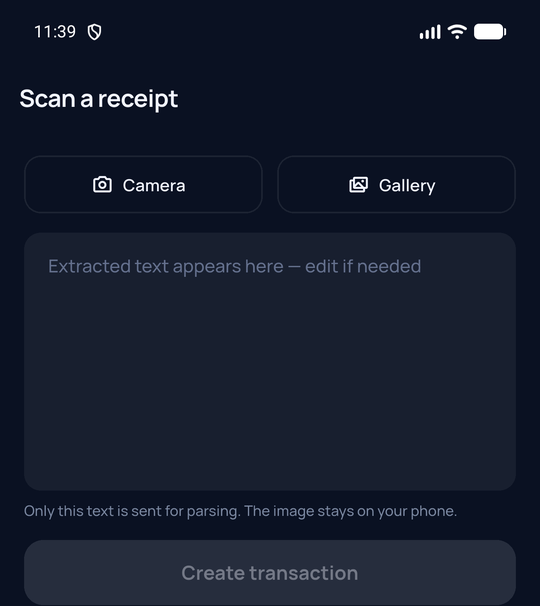
Spendkin receipt scanner — extracted text stays on your device

Sorted before you look

AI reads each alert and files it — amount, merchant, category, currency, reference. Anything uncertain waits in a review queue for one tap, and Spendkin learns which senders you trust.
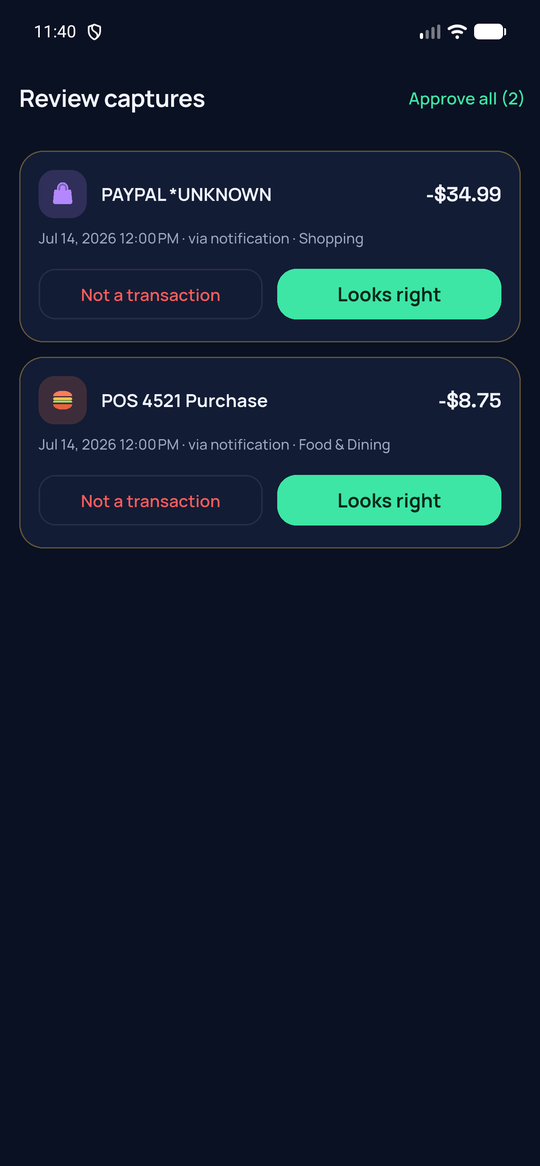
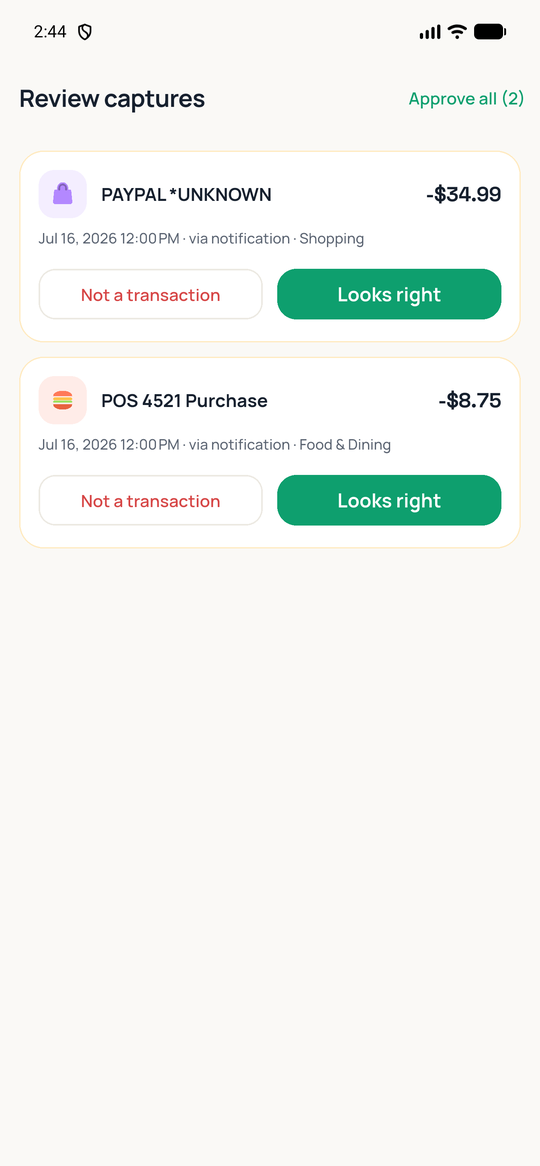
Spendkin review queue, dark theme Spendkin review queue, light theme

Your month, recapped.

Every month ends with a recap card worth sharing — where it went, what changed, and the one number that tells the story. No spreadsheets, no shame.
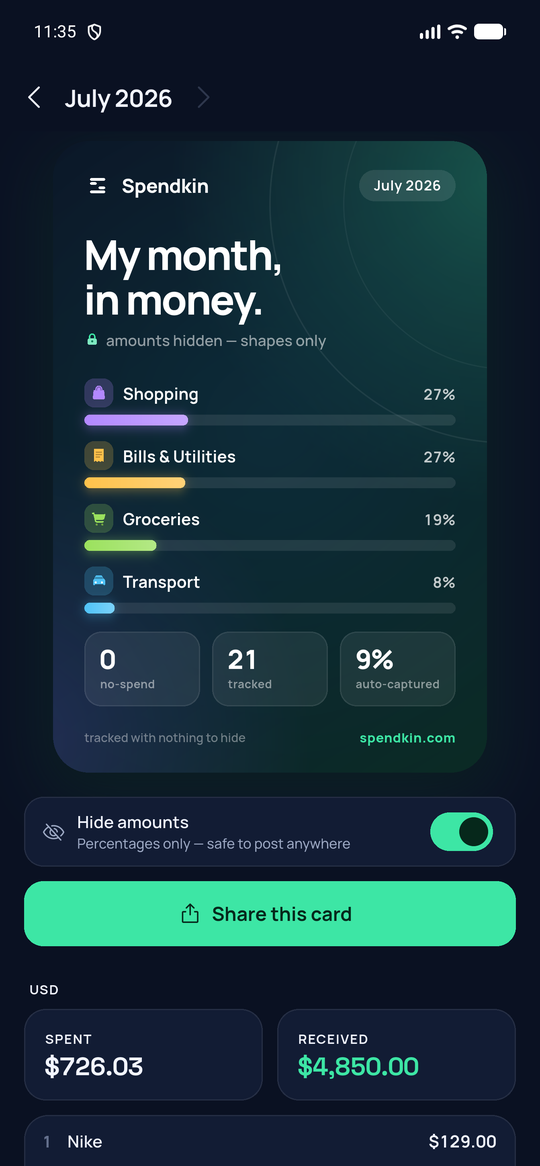
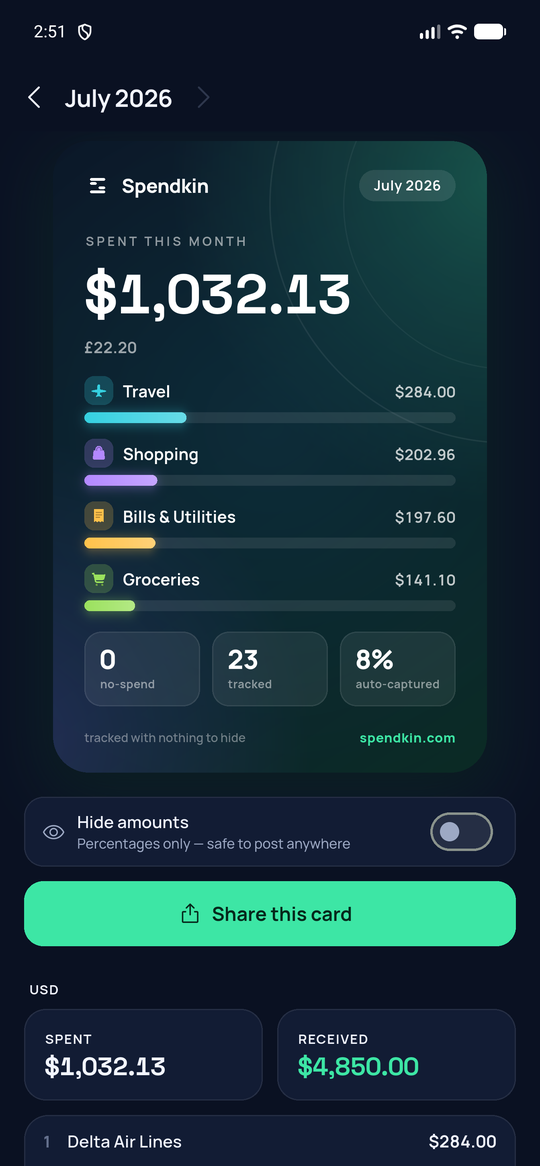
A Spendkin monthly recap card — amounts hidden, shapes only A Spendkin monthly recap card — amounts shown

Bring your history with you

Import past transactions from a bank statement — CSV, PDF, or pasted text. Duplicates are detected automatically, so re-importing never double-counts.
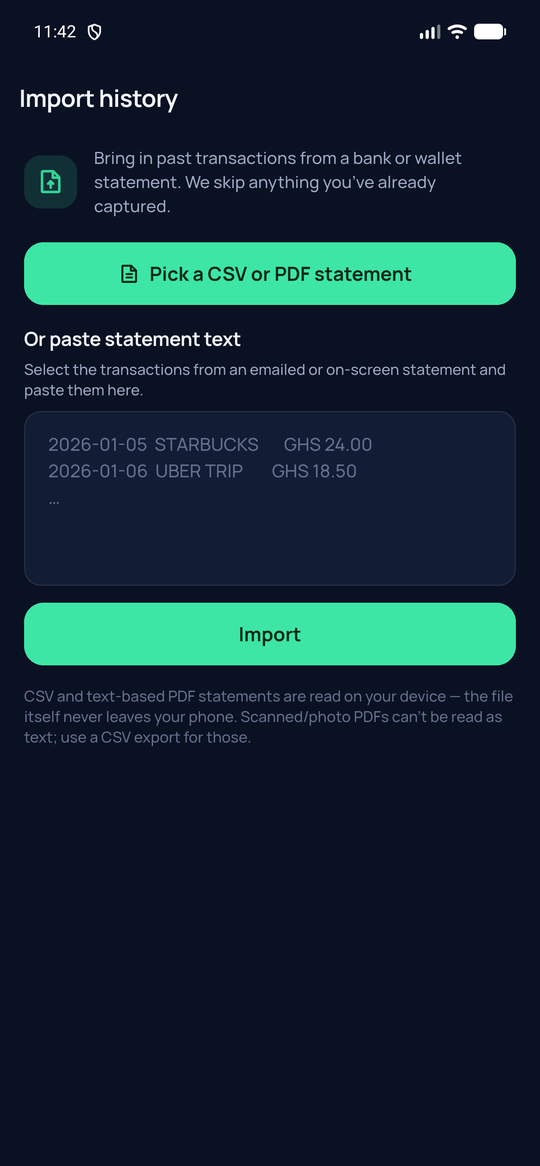
Spendkin statement import — CSV or PDF, with duplicates skipped

Made for how you actually pay

Card in one country, mobile money in another, cash in between — Spendkin doesn’t care how your money moves, only that you can see it.

Everyday budgeters

See where the month went while it’s still the month — not in a statement three weeks later.

Freelancers & side-hustlers

Money in and money out, across accounts and clients, without touching a spreadsheet on the 1st.

Multi-currency lives

Paid in dollars, spend in cedis, subscribe in pounds — every amount stays in its own currency.

Privacy-first people

No bank credentials to leak, receipts read on-device, raw messages deleted after parsing — and end-to-end encryption on by default, so we can’t read your ledger at all.

Mobile-money users

Wallet texts become transactions automatically — every service that sends you an SMS, on any network.

Cash-heavy spenders

Three-tap manual add and receipt scanning keep cash spending in the picture too.

One flat price.
Nothing sneaky.

No percentage of your savings, no ads, no selling your data.

Try it risk-free: the free plan isn’t a trial — it’s genuinely useful, forever.

Spendkin for iPhone & Android
$4.99
per month

Everything unlocked, one flat price — no trials, no add-ons, no upsells.

  • Unlimited automatic captures
  • Every monthly recap, kept forever
  • Import your full history — statements & CSV
  • Cancel in two taps, in your store settings
  • Billed only through the App Store / Play Store
Get the app

Free plan included: 50 automatic captures a month, every capture channel, unlimited accounts & currencies, this month’s recap, CSV export.

Fair questions

Everything you’d want to know before pointing your money’s alerts at an app.

Do you connect to my bank?+
No — that’s the whole point. Spendkin never asks for bank credentials and has no way to access your accounts. It reads the alerts your bank already sends you (notifications, texts, emails) and turns them into records.
Which banks, apps, and countries work?+
Any bank, wallet, payment app, or mobile-money service that notifies you when money moves — banks, PayPal, Venmo, Wise, M-Pesa, MoMo, delivery apps — anywhere in the world, in any currency. If it pings your phone, Spendkin can read it.
What exactly can Spendkin read?+
Only the channels you switch on: notifications from apps you select (Android), texts a Shortcut you install forwards (iPhone), email sent to your private Spendkin address, and anything you explicitly share into the app. Nothing is captured until you enable a channel.
Can I send things to Spendkin myself?+
Yes — share any text, screenshot, or receipt into Spendkin from another app’s share menu, forward any email to your private address, or snap a photo. If it’s a transaction, it gets logged and categorized like everything else.
Do my receipts get uploaded?+
No. Receipt photos and screenshots are read on your phone with on-device OCR. The image never leaves your device — only the extracted transaction text does.
What happens to the raw messages?+
Once a message is parsed into a transaction, the original text is deleted from our servers as soon as it's processed — 72 hours at the very most. Only your tidy transaction list remains — and you can export or erase it any time.
Can Spendkin read my transaction history?+
No. Your transactions, accounts, rules, and custom categories are end-to-end encrypted on your device before they sync — on by default, for everyone. Spendkin stores only ciphertext and cannot read them. You get one recovery code that is the only key: if you lose it, your encrypted data can't be recovered, not by you and not by us — so save it somewhere safe. One honest exception: email forwarding is optional (you choose to turn it on, and can turn it off any time). If you use it, that one forwarded email is parsed on our server, then immediately sealed to your key and the plaintext discarded — so even then it is never stored anywhere we can read it.
What’s free and what’s Plus?+
Free: 50 automatic captures a month, every channel, unlimited accounts and currencies, this month’s recap, CSV export. Plus ($4.99/mo or $39.99/yr): unlimited captures, full recap history, and statement import.
How do I cancel?+
In your App Store or Play Store subscription settings, two taps. We bill only through the stores and never charge outside them.
Can I take my data and leave?+
Always. Export everything as JSON + CSV from Settings, then delete your account in-app — it closes immediately and can’t be undone, and the encrypted copy we hold (which we can’t read) is permanently erased within 72 hours.

Start capturing in
about two minutes.

Free to start. No bank login. Your money, not your data.

App Store & Play Store — coming soon